Whether you're switching accounts or sharing setups with a friend, copying your TradingView layout—which includes your chart templates, indicators, and tools—from one account to another can save you a lot of time. TradingView doesn’t support direct layout transfers between accounts, but with a simple workaround, you can still do it effectively.
✅ What You Need:
- Two TradingView accounts (the sender and the receiver)
- A PC or laptop (easier than doing this on mobile) or mobile if you don't have PC
- Internet access
🔄 Step-by-Step Guide
Step 1: Log into the Sender Account
This is the account that already has the layout you want to copy.
- Go to tradingview.com and log in check https://blogs.gosplitly.com/blogs/how-to-sign-in-with-username-and-password-on-tradingview-desktop-web-and-mobile if you dont know how to log in on tradingview
- Open the layout you want to copy by clicking “Chart” at the top.
- Wait for the layout to fully load.

4.At the top-right corner of the chart, click on the layout name
5.From the dropdown, select "Manage Layouts."
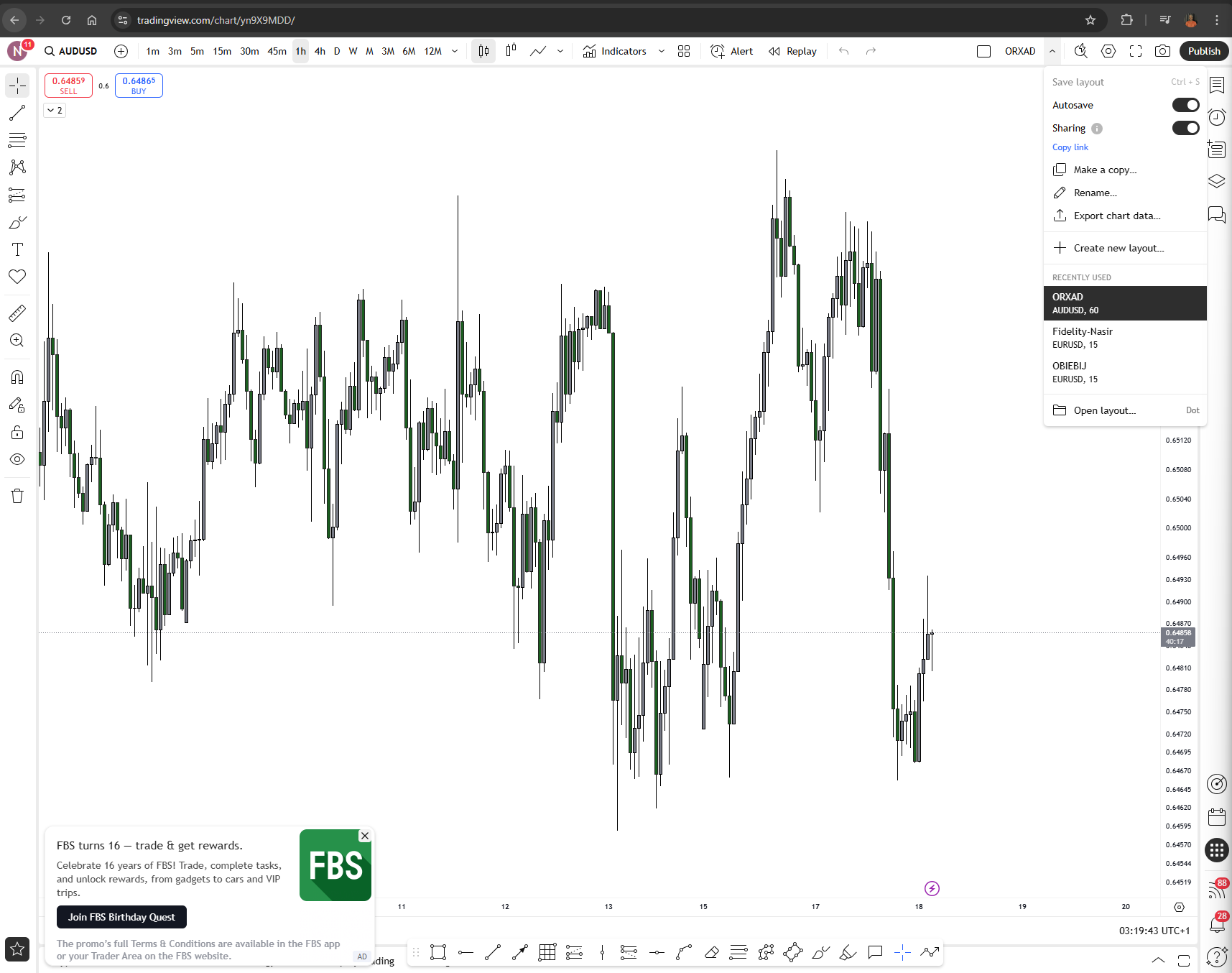
6.In the list of saved layouts, find the one you want to copy and turn on the "Sharing" toggle next to it.
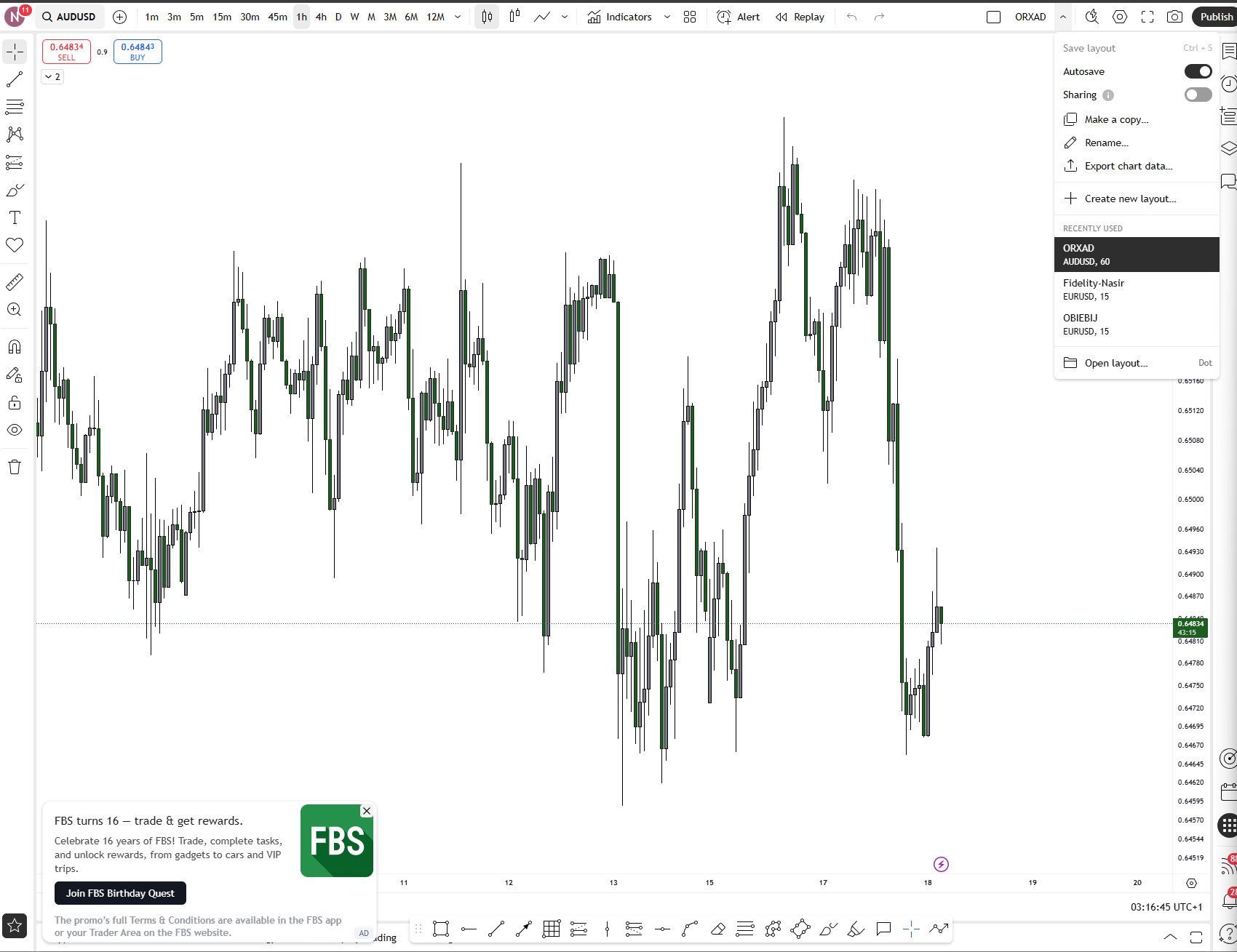
7.Once sharing is enabled, a shareable link will appear. Click “Copy Link.”and keep the link in your note pad.
8.Log into the second account (use a different browser or incognito tab for ease).
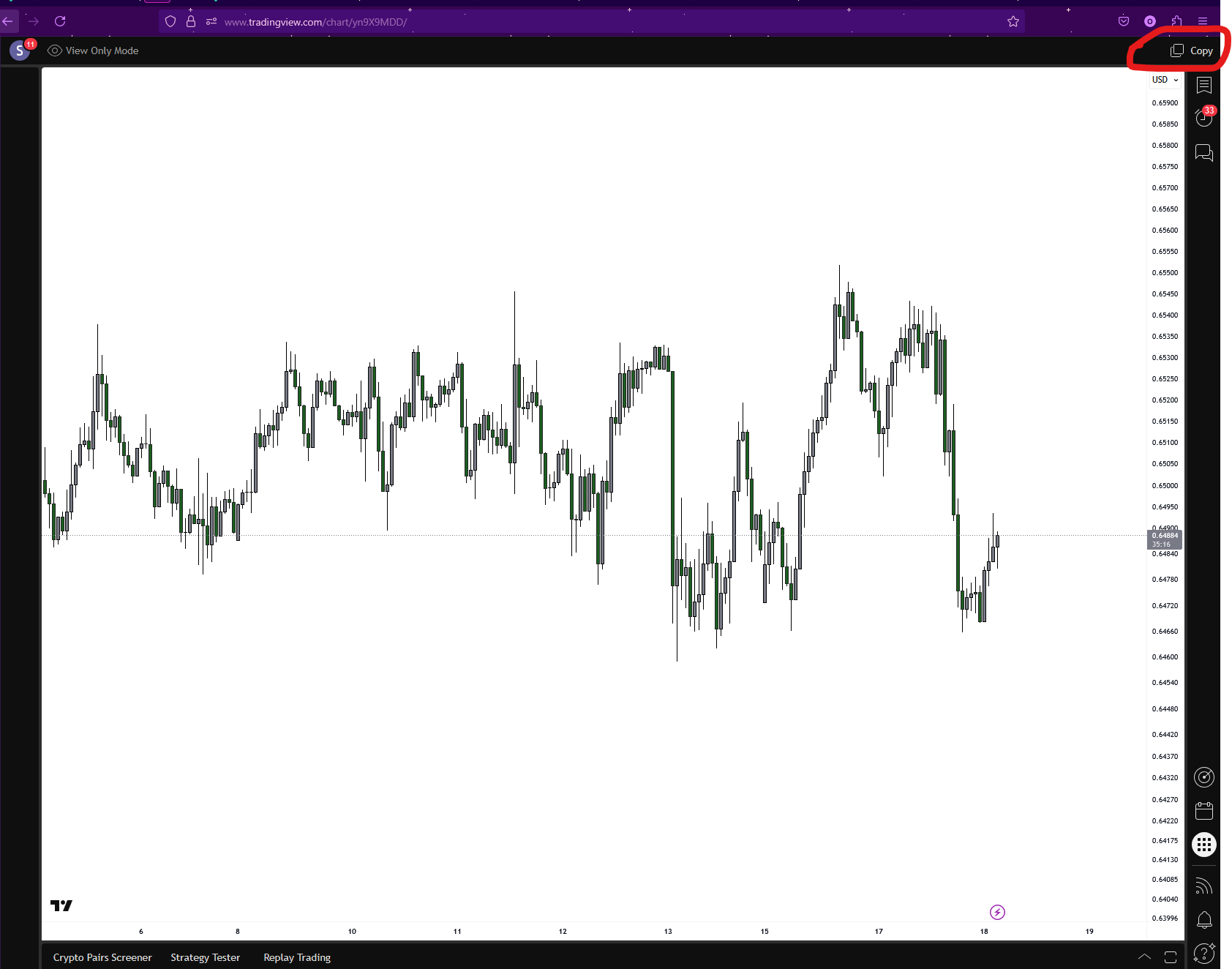
9.Paste the copied link in your browser. The layout will open as a view-only chart.
10.To copy it: click on “Copy” at the top.
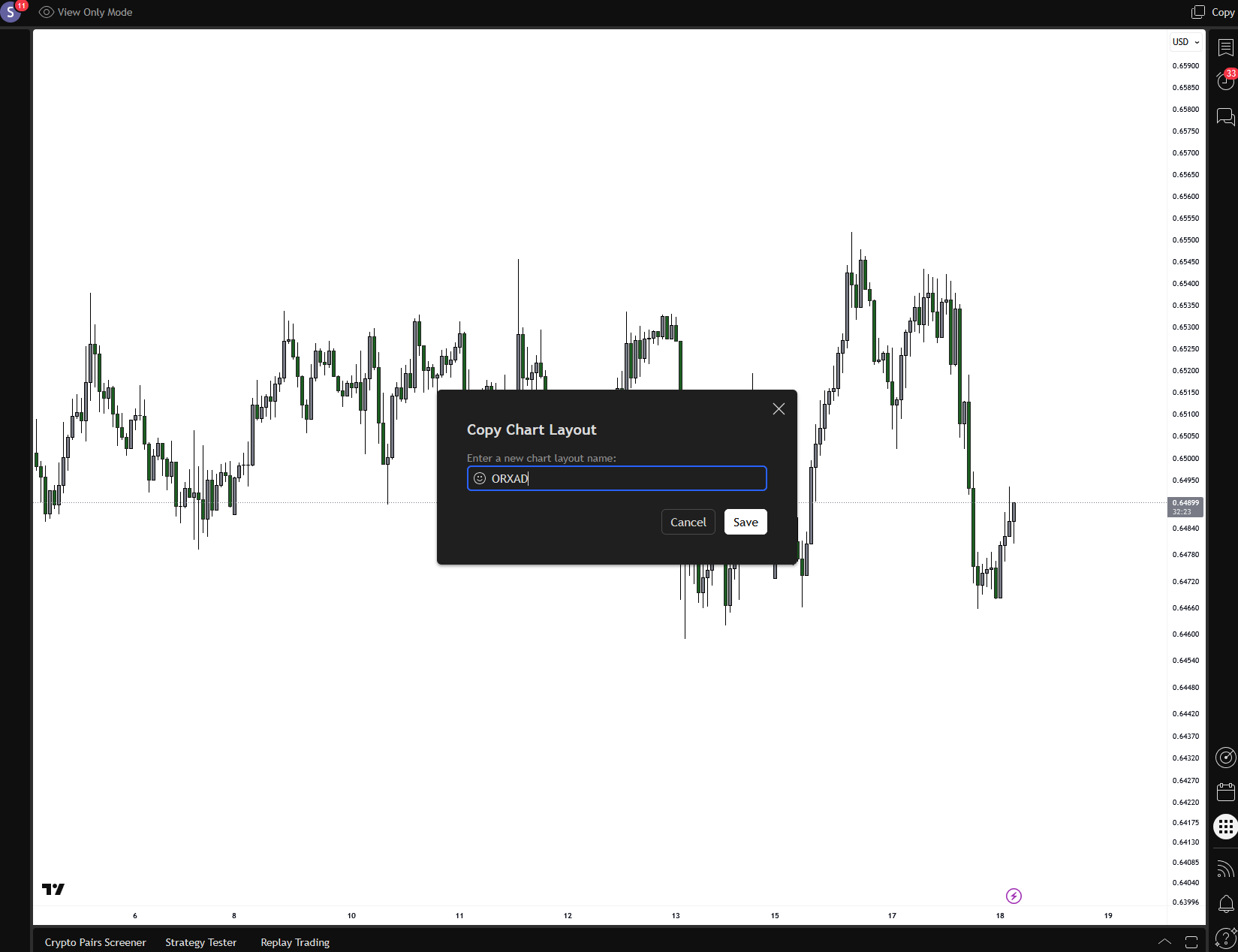
11.A pop up will comes up with the name of your previous layout ,then click save,this saves it as new layout in the second account.
This method is clean, fast, and doesn’t require manual recreation of your charts. Perfect for switching accounts or sharing with a friend!


